AI Chat
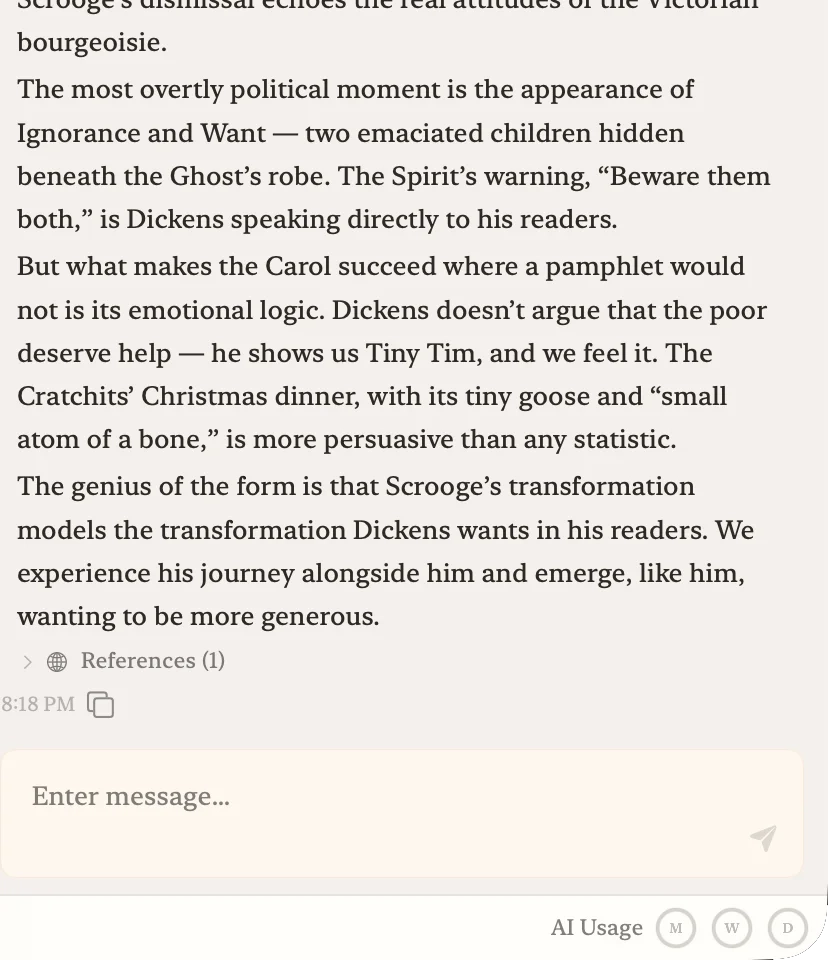
An AI chat panel that lives beside your editor. It reads every file in your project — manuscripts, notes, and references — and responds with full awareness of your work.
- Access to all project files — understands themes, structure, and writing style
- Writing-specific commands: "Analyze the structure," "Give a literary critique," and more — with high-quality responses
- Conversation history auto-saved per project. Bookmark important exchanges
- Quote selected text into chat with "Quote to Chat" for pinpoint discussion
Research
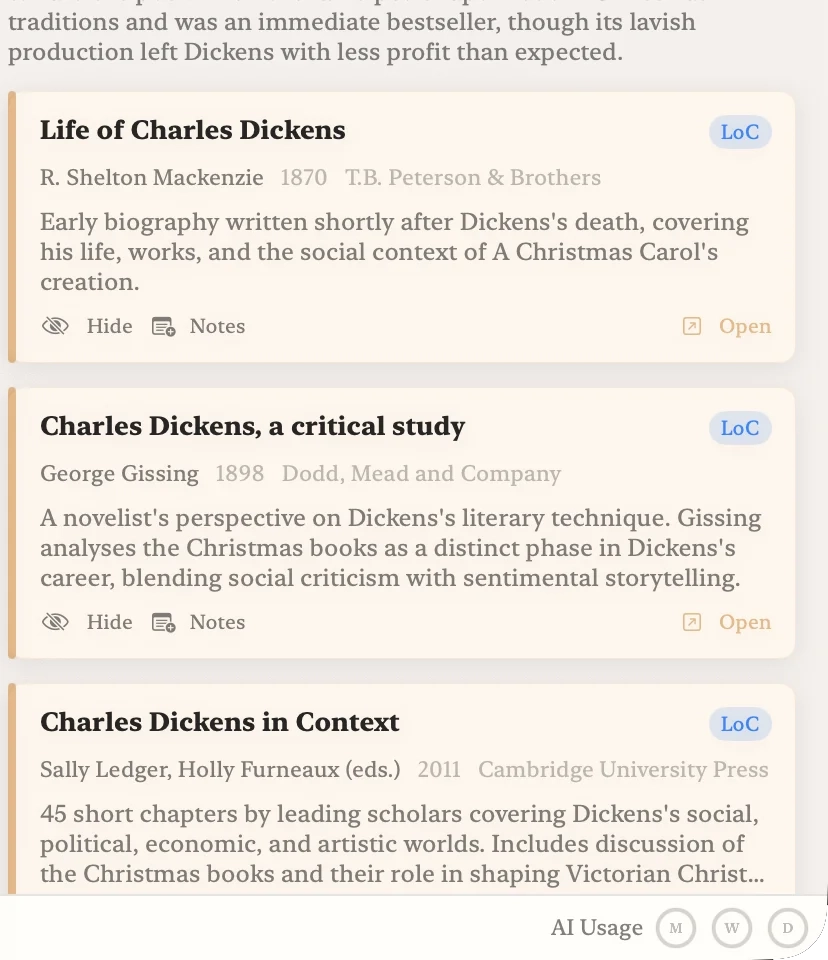
Type a natural-language query and the AI searches multiple library databases at once. Every result is a real, verified source — and digitized works are searched down to their full text, with illustrations you can browse inline.
- Searches the National Diet Library (NDL), Library of Congress (LOC), Open Library, and Internet Archive
- NDL Digital Collections are searched by full text (OCR) — jump straight to the page where a word appears inside a book
- Illustration gallery — browse the plates of illustrated works inline; expanded automatically when your query is asking to see images
- Customizable search scope — Japanese only, academic papers only, global, etc.
- Save any result as a reference note inside your project. The AI chat can reference it too
- Deep Research mode (Max plan) for harder-to-find sources
Workspaces
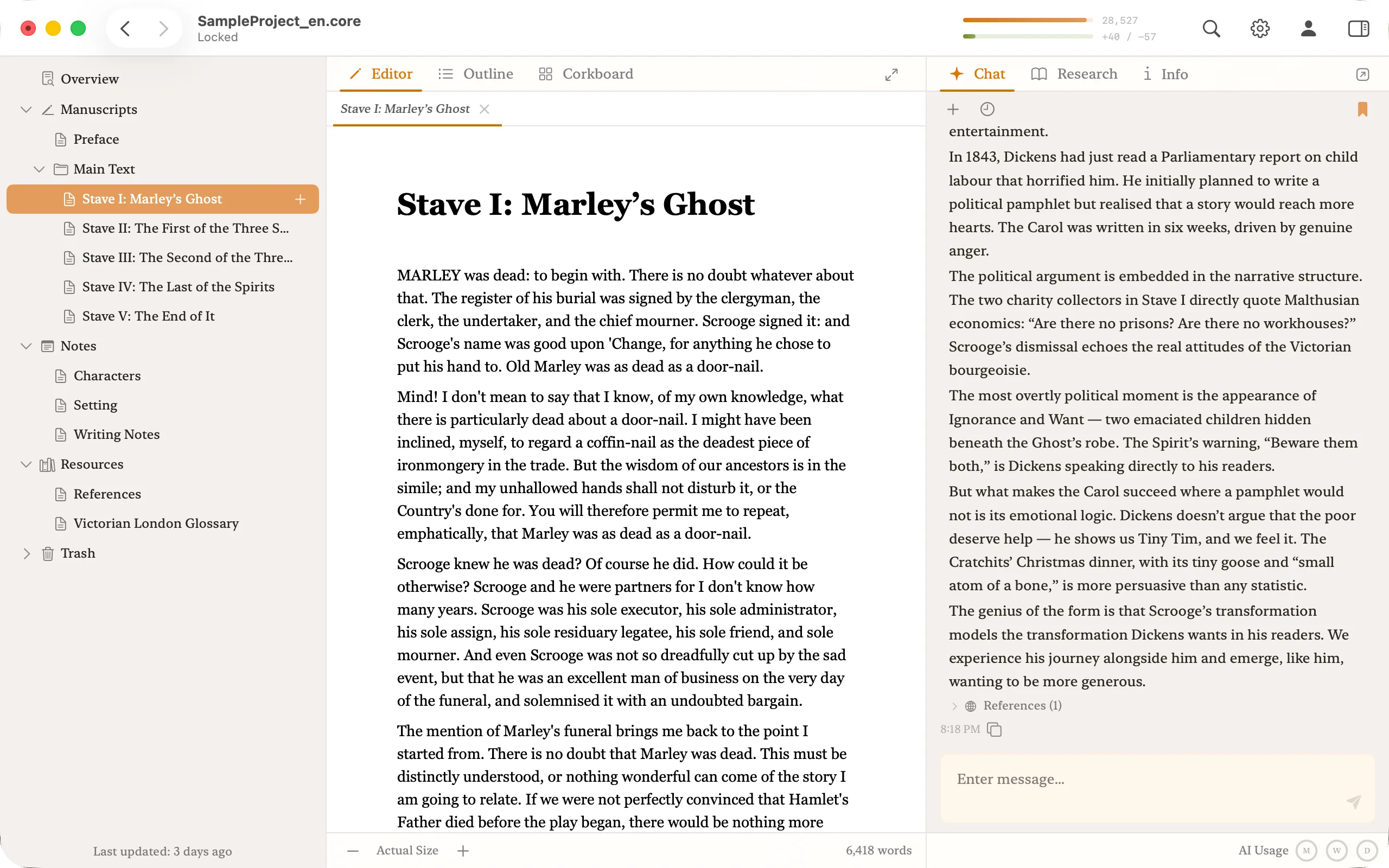
Write in Editor mode, plan structure in Outliner mode, rearrange scenes in Corkboard mode. Three workspaces for different stages of your manuscript.
- Editor — write in a rich text editor
- Outliner — edit the full hierarchy of your manuscript
- Corkboard — see and rearrange scenes as cards
- ⌃⌘1 / ⌃⌘2 / ⌃⌘3 for one-tap switching
Focus Mode
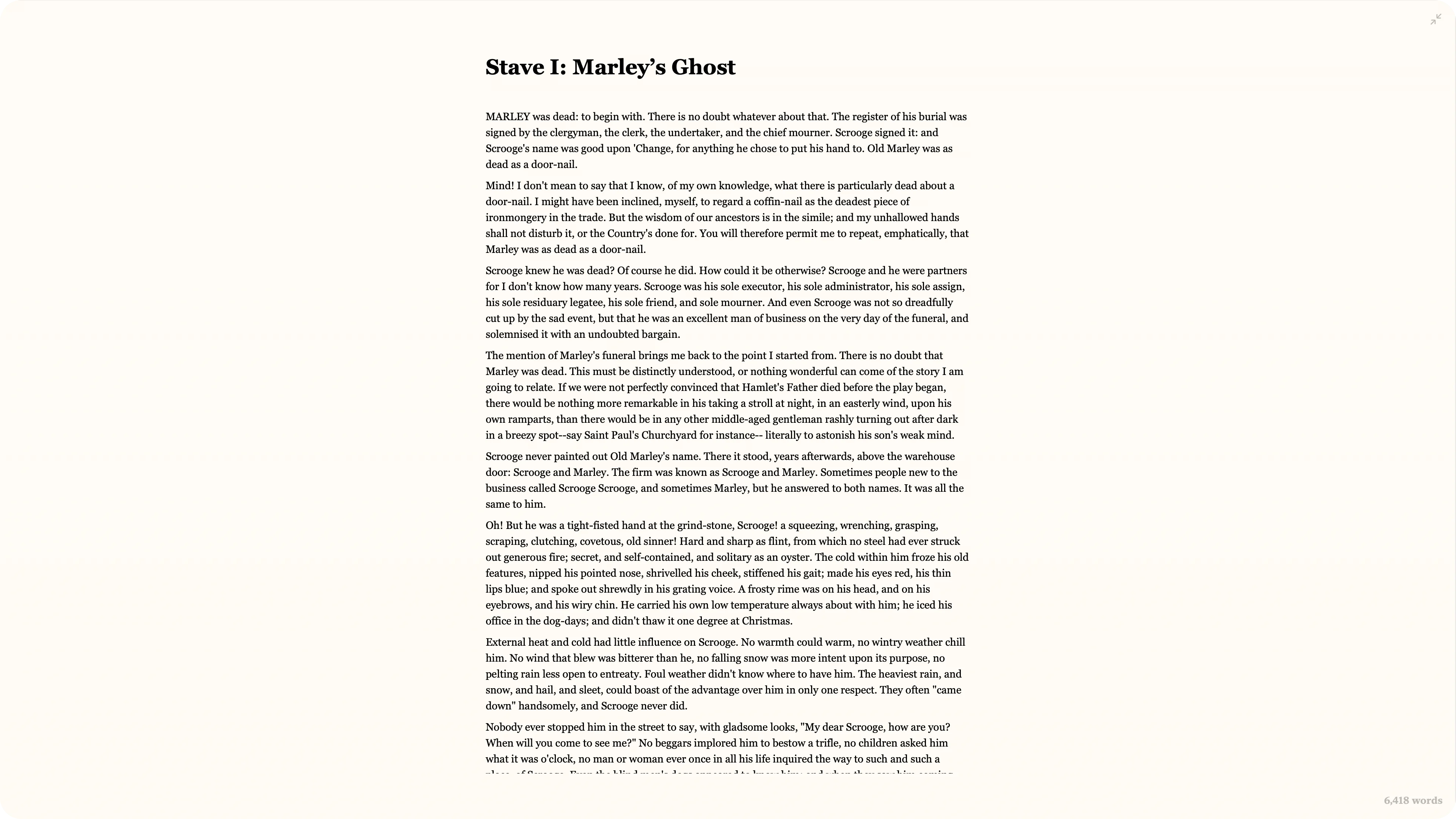
A fullscreen writing mode that hides every UI element. Typewriter mode keeps the cursor fixed at the center of the screen.
- ⌃⌘F to toggle focus mode, ⌃⌘T to toggle typewriter mode
- Works with vertical writing mode
Import & Export
Import Scrivener (.scriv) projects with their folder structure intact. Word (.docx) imports preserve ruby, footnotes, comments, images, and headings. Don't let your tools stop you from switching.
- Scrivener — preserves chapter and scene hierarchy
- Word — retains formatting (ruby, footnotes, comments, images, headings, lists)
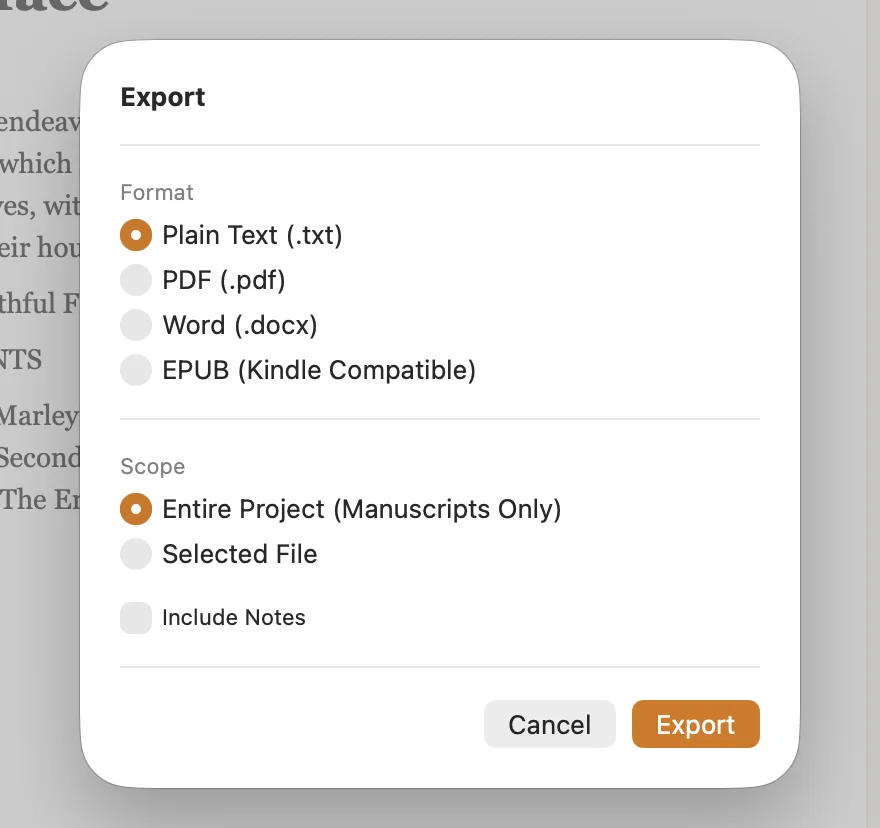
- Export to PDF / EPUB / DOCX while keeping ruby, emphasis dots, and vertical layout
- Export the entire project or selected files only
See the full compatibility table in Help. Migrating from Scrivener or Word? See the side-by-side.
Proof of Authorship
Core records what you type and what you paste as you write, then exports a signed "authorship certificate" bundling a text hash, the provenance, and your typing rhythm. Instead of guessing whether text was AI-generated, the tool you wrote with carries the provenance as evidence.
- Records which passages you typed by hand and which you pasted
- A text hash and an Ed25519 signature detect any tampering after export
- Export the certificate as a PDF — anyone can verify it on the verification page
Read how it works on the authorship overview. Exported certificates can be checked on the verification page.
Screenshot coming soon
Writing Progress
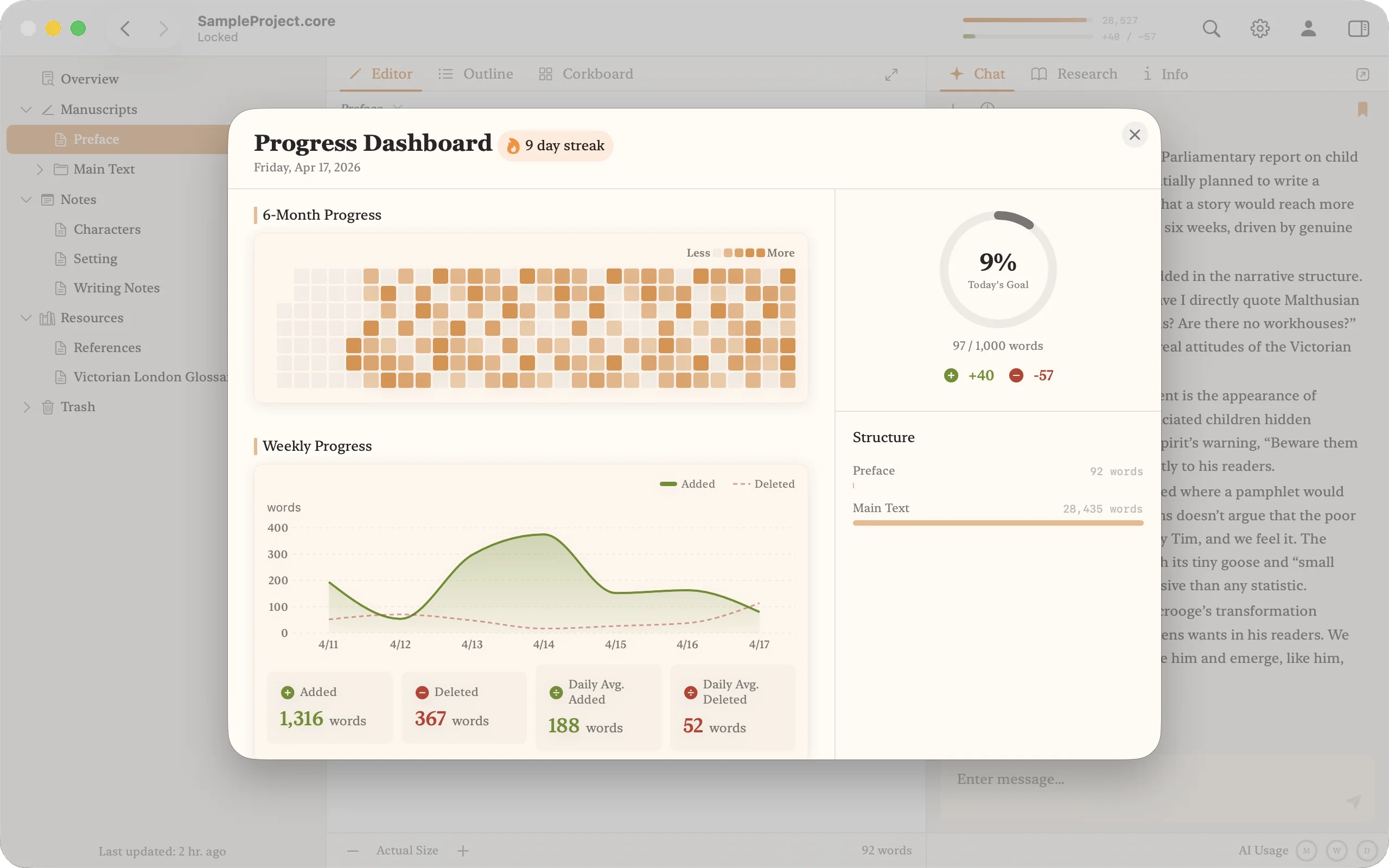
A dashboard that shows daily output and goal progress. It only counts characters you actually typed — pasting and deleting won't skew the numbers.
- Counts only typed characters (paste and delete are excluded)
- Daily, weekly, and monthly graphs to track your habit
- ⌃⌘P or click the top progress bar for instant access