Core vs Microsoft Word + Copilot
AI in the sidebar, or AI across the whole book?
Microsoft Word + Copilot is the industry-standard rich document editor — tables, page layout, citations, Track Changes, all familiar. But Copilot is a sidebar inside one open document, not a reader of an entire project. Core is a dedicated long-form environment: whole-manuscript AI, corkboard and outliner views, and research grounded in real bibliographic records.
In brief
Already in Microsoft 365, writing business documents → Word + Copilot. Writing a book-length work with structure, AI, and research built for it → Core.
Feature comparison
| Axis | Word + Copilot | Core |
|---|---|---|
| Platform | Windows / macOS / Web / iOS / Android | macOS 15 Sequoia and later (native) |
| Pricing | Microsoft 365 Personal $99.99/yr (Copilot now included) | Pro USD 6.99/mo (14-day free trial) · Max USD 24.99/mo |
| Primary use | Business documents, reports, academic papers | Book-length writing — fiction, non-fiction, long essays |
| Rich formatting | Industry standard — tables, page layout, citations, bibliography | Rich text with Japanese typography — ruby, emphasis dots, vertical writing |
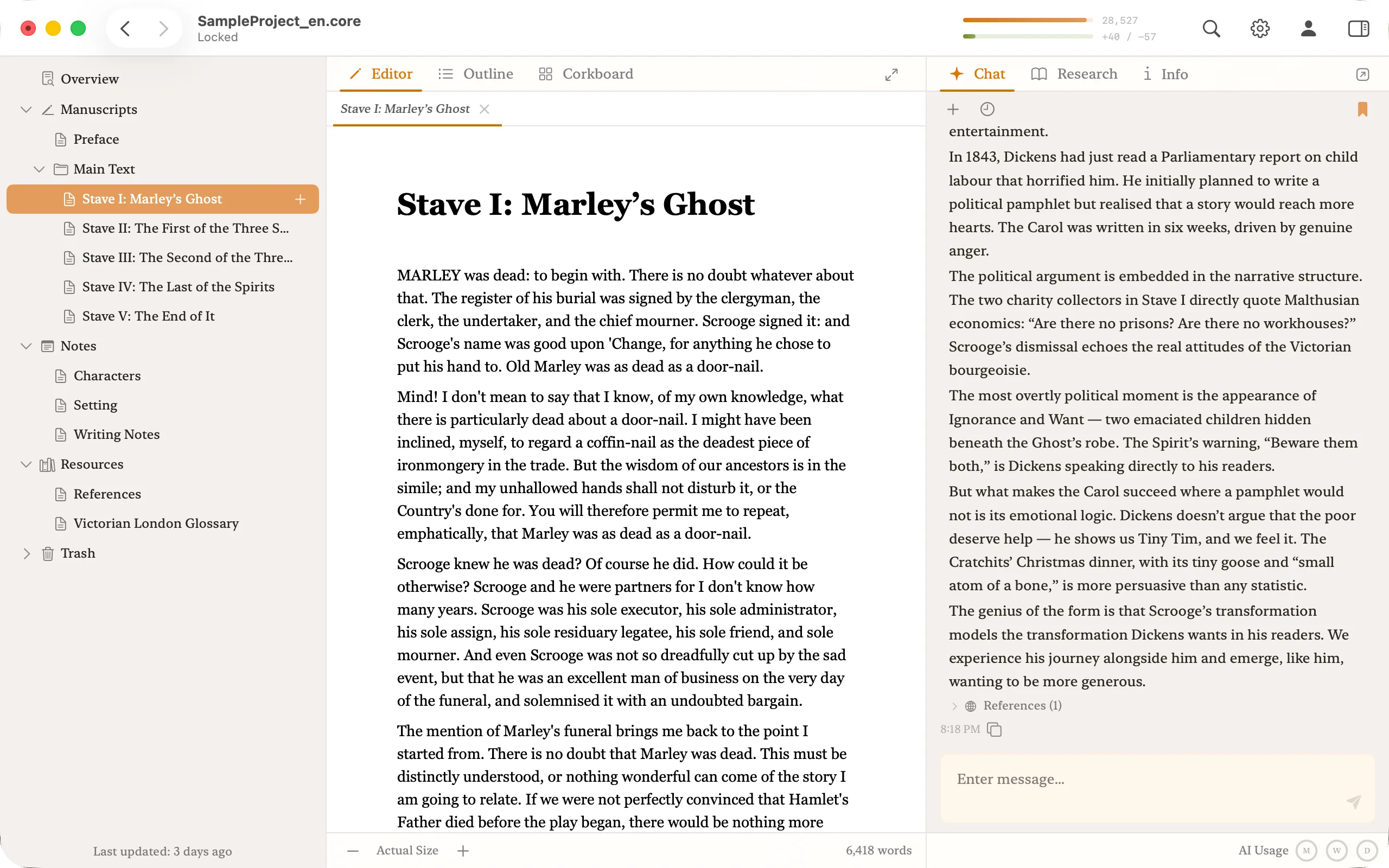
| Structure | Per-file; chapter organization is manual | File tree, corkboard, outliner — three workspaces in one project |
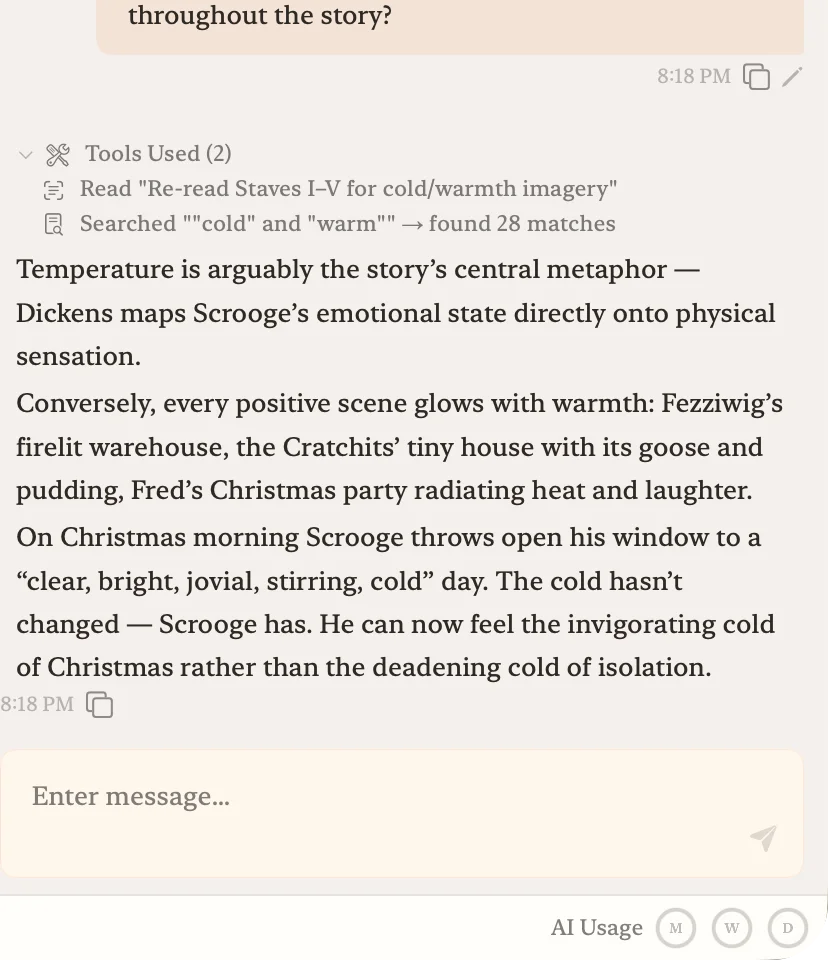
| AI scope | Paragraph-level rewriting, summarizing inside one document | Whole-manuscript AI for critique and back-and-forth |
| Research | Copilot + Researcher (web search) | National library databases — real records only |
| Collaboration | Strong (Track Changes, comments) | Optimized for individual long-form writing |
Core in action
Word + Copilot's strengths and weaknesses
Strengths
- Low marginal cost if you already have Microsoft 365 through work or school.
- All of Word's mature editing assets: styles, proofing, comments.
- Track Changes and comments remain best-in-class for collaborative editing.
- Pairs naturally with PowerPoint, Excel, and Outlook.
Weaknesses
- Built for business documents. Long-form structure tools are thin.
- A general Office suite, not a writing tool — you pay for apps a long-form writer rarely opens.
- No corkboard, no outline view tied to manuscript files. You improvise with chapter .docx files.
- Copilot is a sidebar inside one document — not a reader of a whole book-length project.
- Research goes through Copilot-generated prose. Citations need manual verification.
AI in the sidebar vs AI across the book
Copilot is "AI inside the editor" — pick a paragraph, have it rewritten or summarized, generate a draft. For everyday writing that's useful.
For book-length work, a sidebar inside one open document hits its limit fast. "Does this turn in chapter 12 align with the motive set up in chapter 1?" "Does this contradict my interview notes in a separate file?" — those questions need something that has read the whole project.
Core's AI starts with every file in the project loaded — manuscript, notes, research — and answers from that context.
Research and hallucination
Copilot + Researcher surfaces web results, but Copilot's generated prose can still include plausible but non-existent citations. You verify by hand against primary sources — no built-in safeguard.
Core queries national library and archive databases directly and hands real bibliographic records to the AI. There's no structural room for fabricated titles, authors, or page numbers.
How the pricing compares
Microsoft 365 Personal now bundles Copilot into Word, Excel, and the rest for $99.99/year — the standalone Copilot Pro for individuals was discontinued in 2025. That is close to Core's USD 83.88/year, so this isn't really a price story. It comes down to what each is built for: Microsoft 365 is a general Office suite, while Core is a dedicated long-form writing environment with whole-manuscript AI, structure tools, and research built in.
Long-form structure
Word is a single-document editor. For a book, you either run a "chapter-1.docx / chapter-2.docx" file convention, or cram everything into one file and navigate by headings.
Core treats the book as a project. File tree, corkboard, outliner — reorder scenes, see the whole structure on a corkboard, draft in outline view. What you'd otherwise spread across Word + OneNote + a sticky-note app lives in one .core project.
Which one to pick
Who Word + Copilot fits best
Writers who already live inside Microsoft 365, rely on Track Changes, and work with PowerPoint, Excel, and Outlook alongside Word.
Who Core fits best
Writers who want a dedicated long-form environment — whole-manuscript AI, structure tools, and research built for book-length work.
Moving a Word draft into Core
Core imports Word (.docx) documents. Bring existing chapters in, keep working with the AI alongside them, revise with whole-project context. The 14-day free trial is made for exactly this kind of trial run on your real material.
A note for bilingual writers
If you also write in Japanese: Word handles vertical writing and ruby through its formatting dialog. Core treats vertical writing, ruby, and emphasis dots as first-class citizens — with keyboard shortcuts rather than dialogs — and pairs that with whole-manuscript AI.
Frequently asked questions
- Can I write a book in Word + Copilot?
- You can, especially for single-volume work. What Word lacks is dedicated long-form structure — chapter-level file organization, a corkboard, research dossiers — and Copilot is a sidebar inside one document, not a reader of an entire project.
- How is Core's AI different from Copilot?
- Copilot rewrites, summarizes, and drafts inside the document you have open. Core's AI loads every file in the project — manuscript, notes, research — and reasons across all of them in a single conversation.
- Can Core open Word files?
- Yes. Core imports Word (.docx) documents, so you can bring existing drafts in and keep writing. The 14-day free trial is designed for exactly that kind of trial run on your real material.
Bring your Word draft in and try the AI on the whole book
Import .docx files directly and compare the feel during the 14-day free trial.